Safeguarding Configuration Rollouts at Scale: A Practical Guide to Canarying and Progressive Deployments
Overview
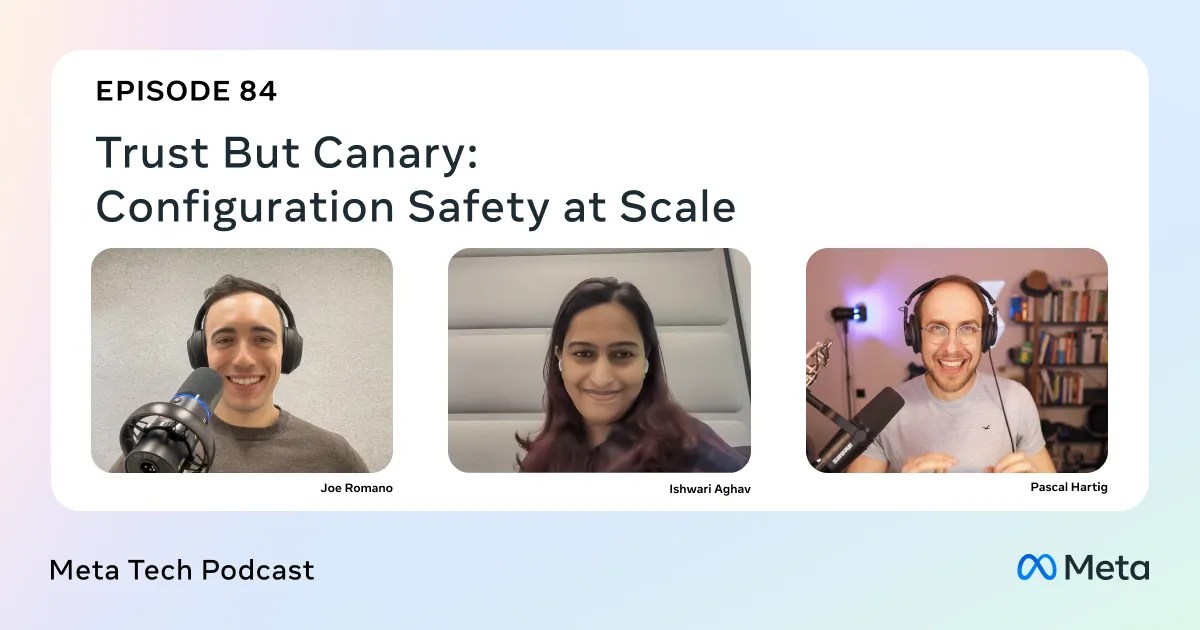
As artificial intelligence accelerates developer productivity, the potential for unintended consequences in configuration changes grows proportionally. Safeguarding these changes is critical to maintaining service reliability, especially at scale. This guide draws from the practices employed by Meta's Configurations team—as discussed in the Meta Tech Podcast episode "Trust But Canary: Configuration Safety at Scale"—to provide a detailed tutorial on implementing safe configuration rollouts. You'll learn how canarying and progressive rollouts, health checks, monitoring signals, incident reviews, and data-driven alerting form a comprehensive safety net. By the end, you'll have actionable steps to apply these principles in your own infrastructure.
Prerequisites
Before diving into the guide, ensure you have a foundational understanding of the following:
- Configuration management (e.g., how configuration files or feature flags are stored and deployed)
- Continuous integration/continuous deployment (CI/CD) pipelines
- Basic monitoring and alerting concepts (metrics, logs, dashboards)
- Familiarity with feature flagging systems and A/B testing
No prior experience with Meta's internal tools is necessary; the techniques described are adaptable to any tech stack.
Step-by-Step Instructions
Understanding Canarying and Progressive Rollouts
Canarying is the practice of rolling out a configuration change to a small subset of users or servers before a full deployment. Progressive rollouts extend this by gradually increasing the exposure over time, monitoring for regressions at each increment. Here's how to implement them:
- Define your canary group: Choose a representative sample of your infrastructure (e.g., 1% of traffic, internal users, or a specific cluster). Use feature flags or conditional logic to apply the new config only to this group.
- Set increment steps: Plan progressive stages—e.g., 1%, 5%, 20%, 50%, 100%. Each step should have a predefined observation period (e.g., 15 minutes).
- Automate progression: Write a script or use a deployment tool that automatically advances to the next percentage if no alerts fire. Example Python-like pseudocode:
def progressive_rollout(config_id, steps):
    for percentage in steps:
        apply_config(config_id, percentage)
        wait(observation_period)
        if check_health() == 'healthy':
            continue
        else:
            rollback(config_id)
            break
- Implement rollback mechanisms: Ensure you can instantly revert the config if a signal turns red. Store previous state and have a kill switch.
Implementing Health Checks and Monitoring Signals
Health checks are automated tests that validate system behavior after a config change. Monitoring signals track key metrics from your observability stack. Together, they catch regressions early.
- Identify critical metrics: Choose a few leading indicators that correlate with user experience—e.g., latency, error rate, throughput. Avoid noisy metrics like CPU usage unless tightly coupled.
- Set guardrails: Define upper and lower thresholds for each metric. For example, if p99 latency increases by more than 10% from baseline, flag as unhealthy.
- Implement health check probes: Write a service that periodically queries endpoints or system status. Use a framework like Prometheus + Grafana to expose and visualize these probes.
- Automate alerting: Configure your monitoring tool to trigger an alert when thresholds are exceeded. For example, using a simple if-then logic in a check script:
def check_latency():
    current = get_p99_latency()
    baseline = get_baseline()
    if current > baseline * 1.1:
        raise Alert("Latency spike detected")
    return "OK"
- Integrate with rollout pipeline: Have your progressive rollback tool query the health check status before each step. If unhealthy, trigger a rollback automatically.
Conducting Incident Reviews to Improve Systems
When something goes wrong, focus on system improvements rather than blame. Meta's team uses blameless postmortems to refine processes.
- Create a template: Include fields for timeline, impact, root cause (usually a process gap), and action items. Example sections:
- Summary: What happened? (e.g., config change increased error rate by 5%)
- Detection: How was it caught? (e.g., canary health check alerted)
- Root cause: Not just "bad config" but "missing validation rule for edge case"
- Action items: Add automated tests, improve monitoring, update runbook
- Schedule regular reviews: After each incident, hold a meeting within 48 hours. Invite all involved engineers.
- Track action items: Use a ticketing system to ensure fixes are implemented. Close only when the system is hardened.
- Share learnings: Distribute a summary to the wider team to prevent similar issues.
Leveraging Data and AI/ML to Reduce Alert Noise and Speed Bisecting
Alert fatigue can cause engineers to ignore warnings. AI/ML models can filter out false positives and accelerate root cause analysis.

- Collect historical alert data: Log all alerts along with whether they were actionable or noise. Use as training data.
- Train a classifier: Build a simple machine learning model (e.g., decision tree or logistic regression) using features like alert type, time of day, metric deviation magnitude.
- Implement alert deduplication: Use clustering algorithms to group related alerts from the same incident, reducing noise.
- Automate bisecting: When a regression is found, use statistical comparison between canary and control groups to pinpoint the change. Example: compute difference in error rates using a two-sample t-test to confirm significance.
If you're starting small, even a heuristic like "ignore alerts during scheduled maintenance windows" can reduce noise by 30%.
Common Mistakes
Avoid these pitfalls that even experienced teams encounter:
- Choosing an unrepresentative canary group: If your canary uses only internal users, you may miss issues that affect external latency patterns. Always include a variety of regions and user types.
- Ignoring baseline drift: Metrics change over time due to organic traffic growth. Reset thresholds periodically.
- Over-automation without oversight: Fully automated rollbacks can cause chaos if a health check is itself broken. Introduce a manual approval step for the first 1% canary.
- Blaming individuals during incidents: This discourages reporting. Cultivate a blameless culture where the focus is on system fixes.
- Not testing AI/ML models on real data: A model that reduces noise in simulation may fail in production. Validate with historical incidents.
Summary
Safe configuration rollouts at scale require a layered approach: canarying with progressive exposure, automated health checks and monitoring, blameless incident reviews, and data-driven alert reduction using AI/ML. By following these steps, you can dramatically reduce the risk of config changes causing outages, all while maintaining developer velocity. Start small—implement canarying for one critical config, then expand.